Master Your Week: The Minimalist One-Page Planner
For professionals, students, and creatives alike, the constant digital noise often drowns out our actual priorities. We toggle between apps, lose track of time blocks, and forget the "big picture" amidst the daily grind. This is where the power of tangible, intentional planning comes into play. The Weekly Planner Canva Template and PDF serves as a strategic design asset that cuts through the clutter, offering a minimalist, one-page overview that streamlines your workflow without overwhelming your visual field.
Aesthetic Meets Function: The Design Philosophy
When we talk about modern typography and layout in editorial design, the goal is always clarity. This particular template avoids the trap of "cute" planners that sacrifice usability for ornamentation. Instead, it adopts a clean, structured aesthetic that appeals to the serious entrepreneur and the organized parent alike. The layout is balanced, utilizing whitespace effectively to create a visual hierarchy that guides the eye naturally from priority tasks to habit tracking.
Because the file is optimized as a Canva Template, it retains the flexibility of a digital design asset while serving a practical purpose. You aren't just downloading a static PDF; you are accessing a customizable framework. This is crucial for small business owners who might want to tweak the layout to match their brand identity. Whether you prefer a sans serif font for a tech-forward look or a softer handwritten font for personal journaling, the template adapts to your needs.
Strategic Applications for Busy Schedules
The versatility of the Weekly Planner Canva Template and PDF extends far beyond simple to-do lists. Here is how different segments of the audience can leverage this tool for maximum impact:
- For Entrepreneurs and Marketers: Use the one-page spread for social media graphics planning. Map out your content calendar at a glance. The minimalist style ensures that when you snap a photo for Instagram, the planner acts as a professional backdrop that reinforces your brand’s aesthetic.
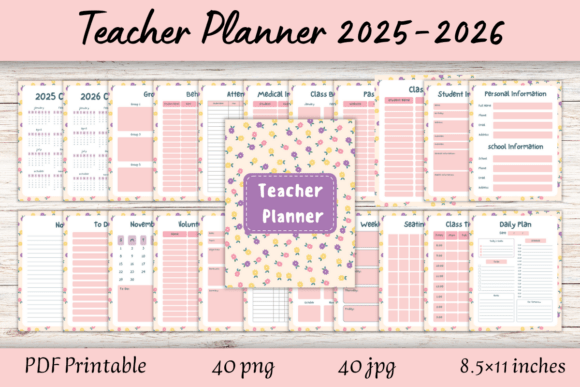
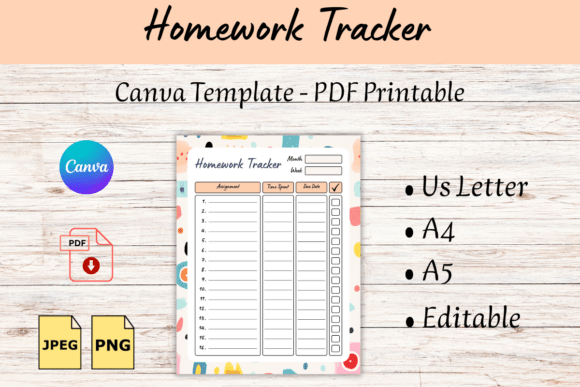
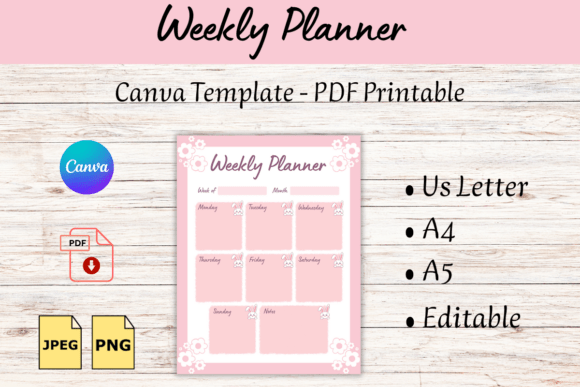
- For Students and Teachers: The inclusion of multiple formats (A4, A5, US Letter) makes it universally accessible. Teachers can print class schedules, while students can track assignment deadlines. The readability of the design ensures that critical dates aren't lost in busy patterns.
- For Designers and Creatives: Treat this as a canvas for your week. The clean lines allow you to sketch out project phases or track client feedback. It serves as a low-pressure environment to organize high-pressure projects, functioning much like a blank sketchbook for your business life.
Customization and Integration
One of the strongest arguments for using a Canva Template over a generic store-bought planner is the ability to iterate. If you are a graphic designer or a content creator, you understand the importance of consistency. You can easily adjust the colors to match your current project palette or swap out the default text for a script font if you want to add a personal, human touch to your planning session.
The file delivery includes JPG, PNG, and PDF formats. This is vital for cross-platform consistency. You can upload the PNG to a digital note-taking app like GoodNotes for your iPad, or print the PDF in high resolution for your physical desk setup. This dual utility ensures that your planning system is accessible whether you are at a coffee shop or in a boardroom.
Practical Tips for Implementation
To get the most out of this premium font and design package, consider the following workflow adjustments:
- The Sunday Reset: Open the Canva Template every Sunday evening. Spend 15 minutes mapping out the "Big Three" tasks for the week. This prevents the Monday morning panic.
- Habit Stacking: Use the habit tracking section to build new routines. If you are a brand strategist, perhaps one habit is "review brand assets" or "engage with 5 new accounts."
- Digital vs. Print: If you choose to print, ensure your printer settings match the paper size (A4, A5, or Letter). The vector nature of the design ensures crisp lines even on larger prints.
Conclusion: A Tool for Clarity
Ultimately, the Weekly Planner Canva Template and PDF is more than just a piece of paper or a digital file; it is a commitment to structure. In a world where we are constantly bombarded with information, having a dedicated, minimalist space to organize your thoughts is an act of self-care and professional discipline. It bridges the gap between graphic design utility and everyday productivity, proving that good design is, first and foremost, functional design.